

Stealth Mode Monitoring Software That Stays Invisible
Maintain uninterrupted visibility with stealth deployment that can’t be paused, killed, or detected. Your workforce won’t see it. Your data never misses a moment.
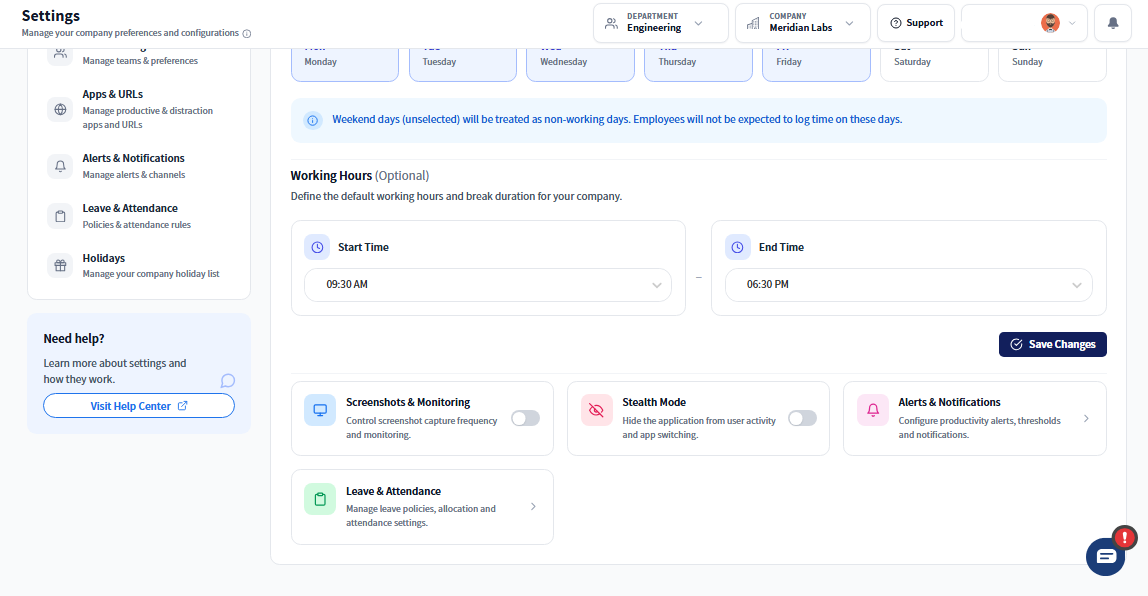
Built for Security-First Environments
Desktop-first monitoring built for security-first environments — no browser controls, no user interference.
- App runs invisibly in the background from system boot
- No icons, windows, or alerts shown to the user
- Cannot be paused, stopped, or uninstalled by the user
- Designed for high-trust roles, outsourced teams, and remote workforces
- Prevents tampering while maintaining full audit compliance
- Lightweight install with no performance drag
- Built for regulated industries and data-sensitive organizations
- For Managers: Get the insights you need—even when users try to circumvent tracking. Detect risky behavior without alerting your team.
- For Employees: No interface. No alerts. No interference. Stealth Mode works silently in the background, with no impact on performance.
Core Features of Stealth Mode Monitoring Software
Undetectable Background Operation
Invisible by design—remains concealed from the user.
- Hidden from Task Manager and system tray
- No desktop icons or running app indicators
- Boots automatically with system startup
Tamper-Resistant Architecture
Blocks shutdown attempts and uninstall efforts.
- Cannot be paused, force-quit, or removed
- Enforced admin permissions for app access
- Resistant to system setting modifications
Silent Session Monitoring
Tracks every second without user awareness.
- Captures real-time app and website usage
- Records idle time, screenshots, and activity
- Tracks user behavior without interaction
Zero Disruption to System Performance
Runs silently without slowing systems.
- Minimal CPU and memory use
- No pop-ups, lags, or alerts
- Works with background security tools
Secure Data Capture & Storage
Data integrity without compromise.
- Encrypted session logs and reports
- Centralized dashboard access for authorized teams
- Configurable storage and export settings
How Stealth Mode Stays Undetectable
Launches Silently at System Startup
Once installed, Prodaff activates automatically with no pop-ups, system tray icon, or user login required. It’s fully invisible on the desktop.
Operates Without User Detection
The application stays hidden across all system layers—Task Manager, app switcher, and settings. Users can’t see it, pause it, or disable it.
Runs with Kill-Switch Protection
Any attempt to shut down or tamper with the app is blocked. Admin-level authorization is required for configuration or removal.
Where Stealth Mode Matters Most
- 01
Remote & Hybrid Workforce Oversight
Track employees working from home or abroad without relying on manual logins or check-ins.
- 02
High-Security & Regulated Industries
Maintain uninterrupted visibility for audit trails, compliance reporting, and legal documentation.
- 03
Outsourced Teams & Contractors
Ensure billable hours are fully accounted for without dependency on user compliance.
- 04
Suspicious Activity Audits
Quietly identify time theft, data exfiltration attempts, or productivity red flags before they become risks.
- 05
Global Operations Monitoring
Run Stealth Mode across global IPs to manage distributed teams and enforce uniform policies.
Ready to get started?
Try Prodaff for free and see how easy it is to track time, boost productivity and manage teams with confidence.