

FLSA Timekeeping and Recordkeeping Software
Build a Clearer FLSA Timekeeping Process
Prodaff helps US employers capture daily work hours, review attendance exceptions, document corrections, and export time records without relying on disconnected spreadsheets or email threads.
No credit card required. Cancel anytime. Plans start at $5 per user.
Prodaff supports an employer’s timekeeping and recordkeeping process. It does not provide legal advice or guarantee FLSA compliance.

What Are the FLSA Timekeeping Requirements?
Under the Fair Labor Standards Act, employers must maintain accurate records for covered, nonexempt employees.
These records generally include:
- Hours worked each day
- Total hours worked each workweek
- The time and day the workweek begins
- The employee’s regular hourly pay rate
- Straight-time and overtime earnings
- Additions to or deductions from wages
- Total wages paid
- The pay period and payment date
The US Department of Labor does not require employers to use a specific timekeeping system. Employers may use paper timesheets, time clocks, designated timekeepers, or digital time-tracking software, provided the records are complete and accurate.
Recording and Retaining Time Are Different Responsibilities
Recording
Capturing complete and accurate information about employee hours and wages.
Retention
Preserving each category of record for the required period.
| Record category | General federal retention period |
|---|---|
| Payroll records, collective bargaining agreements, and certain sales and purchase records | At least 3 years |
| Timecards, work schedules, wage-rate tables, and other wage-computation records | At least 2 years |
State and local laws may require additional information or longer retention periods. Employers should review the requirements that apply wherever their employees work.
Where Does Prodaff Fit?
Prodaff helps employers capture, review, correct, and organize the time and attendance information that supports a broader FLSA recordkeeping process.
Capture Daily Work Hours
Employees can start and stop time tracking through the Prodaff desktop application. Recorded hours can be connected with specific tasks and projects.
Maintain Daily and Weekly Records
Managers can review tracked time by employee, date, task, or project, making it easier to identify incomplete or inconsistent entries.
Record Attendance Information
Prodaff brings employee attendance, work sessions, breaks, schedules, and time records into a centralized view.
Correct Missing or Inaccurate Entries
Employees can submit attendance regularization requests for missed punches or incorrect hours. Managers can approve, reject, or edit requests based on company policy.
Document Record Changes
Reasons, timestamps, and approval information create a clearer history of attendance and time-record corrections.
Export Time and Attendance Data
Teams can export attendance records and time logs in XLS or CSV format by date, month, or custom reporting period.
Turn Timekeeping Into a Reliable Workflow
A dependable timekeeping process should make it easy to record actual work, resolve exceptions, review entries, and retrieve supporting information when needed.
Prodaff helps teams create that workflow:
Employees Record Their Working Time
Employees use Prodaff to record work sessions and connect time with tasks or projects.
Prodaff Organizes the Records
Time, attendance, and task-linked records are brought into one centralized view.
Employees Report Missing or Incorrect Entries
Employees can submit correction requests with the relevant date, time, and reason.
Managers Review Exceptions
Authorized managers can review, approve, reject, or edit submitted corrections.
Teams Export the Records
Attendance data and detailed time logs can be exported in XLS or CSV format for internal review or use alongside payroll processes.
See How Prodaff Supports Your Timekeeping Process
Get a personalized walkthrough of employee time capture, attendance regularization, manager review, and exportable records.
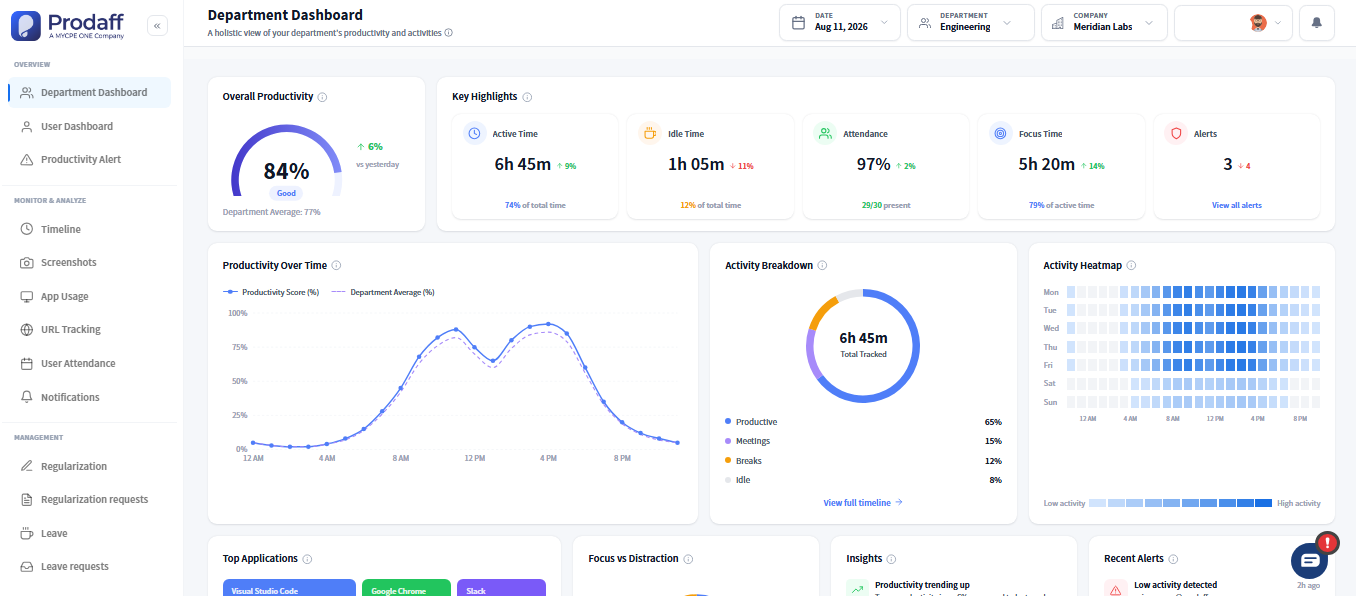
What Problems Can Prodaff Help Reduce?
- 01
Missing Time Entries
Give employees a consistent process for reporting missed punches and incorrect hours.
- 02
Undocumented Changes
Maintain timestamps, reasons, and approval information when attendance records are corrected.
- 03
Spreadsheet Dependence
Bring employee time, attendance, and corrections into one centralized system.
- 04
Inconsistent Manager Reviews
Create a clearer process for reviewing attendance exceptions and time-record corrections.
Customer review
Maximize Productivity Without Sacrificing Trust
“Prodaff gave us visibility without pressure. It’s changed how we manage projects and performance.”
 RajivCo-founder, Betalectic
“Easy, respectful, and incredibly useful. Prodaff has made our team more focused and self-aware.”
 Leena MartinProduct Manager, Clickformula
“Prodaff balances visibility with autonomy. It’s helped us work better without adding stress.”
 AdamDirector, Customer Support
Latest insights
Explore our blogs



Ready to get started?
Try Prodaff for free and see how easy it is to track time, boost productivity and manage teams with confidence.